Accounts
Households, companies and foundations, and how they group your supporters.
An account is the group a supporter belongs to: a household, a company, a foundation or a government body. It's how you see a whole relationship rather than one person's gifts.
Before you start: you need permission to view accounts.
Accounts are created for you
Like supporters, accounts are created automatically as people give. There's no manual create form. To put someone in a household, open the supporter and link them to an account from their record.
What an account shows
Open any account from Contacts > Accounts to see:
- Household lifetime, This year, Household gifts and Members at the top, so you can see the whole relationship at a glance.
- Details: the account name, its record type, the primary contact, and for organizations the industry, website and description.
- Members: everyone in this household or company, with their status.
- Addresses: the postal addresses for the group. This is where addresses live, rather than on each person.
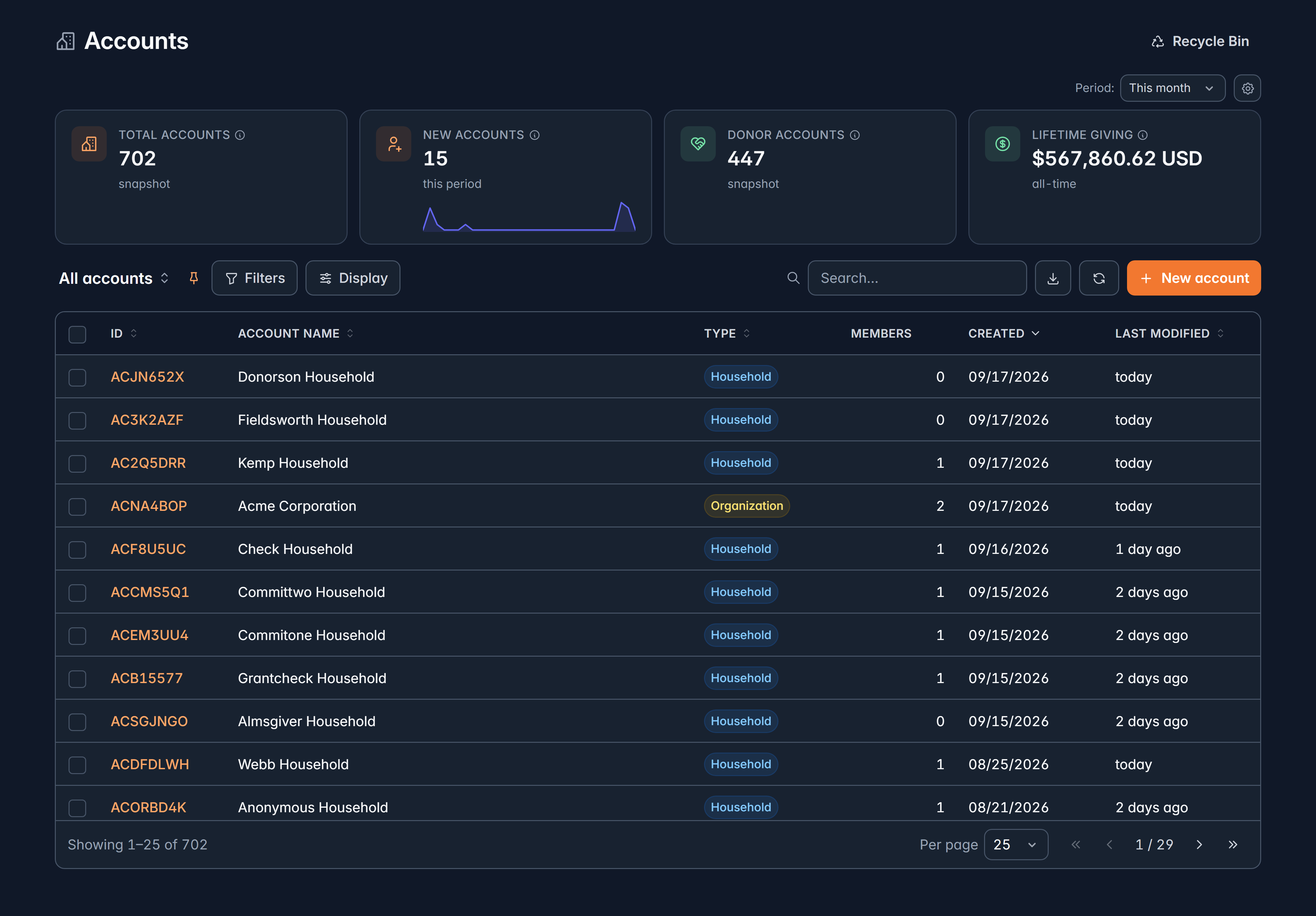
The list shows ID, Account name, Type, Members, Created and Last modified. Types are Household, Organization, Foundation and Government, plus any your organization has added.
Make a change
Select Edit account. You can change the name, record type, description, industry and website. Other details, like the mailing address columns and the primary contact, are set elsewhere and show as read-only here.
Merge two accounts
Tick exactly two accounts and select Merge, then choose which to keep. Everything on the other one moves across, and it's archived.
Accounts of different types can't be merged. If you try, Givable tells you: they have to be the same type first.
Archive
An account you no longer deal with can be archived from the menu on its record, and restored the same way. Archiving keeps all the history and takes it out of your everyday lists.
Erasing an account's information
Erase data in the menu permanently anonymizes the household name, custom fields and legacy address details, and deactivates the linked addresses.
Erasing an account does not erase its members. If a household has three people and all three asked to be erased, each person must also be erased on their own record. Givable reminds you of this, and tells you how many members still need it.
You'll also be asked to type a reason, which is recorded for your audit trail. Erasing an account requires administrator access.
Related
Supporters
The people inside your accounts.
Key concepts
How supporters, accounts and gifts fit together.
Still stuck?
We're here for you, and no question is too small. Tell us what you were trying to do and what happened, and we'll help you get it sorted.