Manage registrations
See who has booked, chase unnamed seats and balances, take payment and refund.
The Registrations tab shows bookings rather than individual guests: who paid, for how many, and what's outstanding.
Before you start: taking payment and refunding need permission to edit payments. Without it those actions aren't shown at all.
What the list tells you
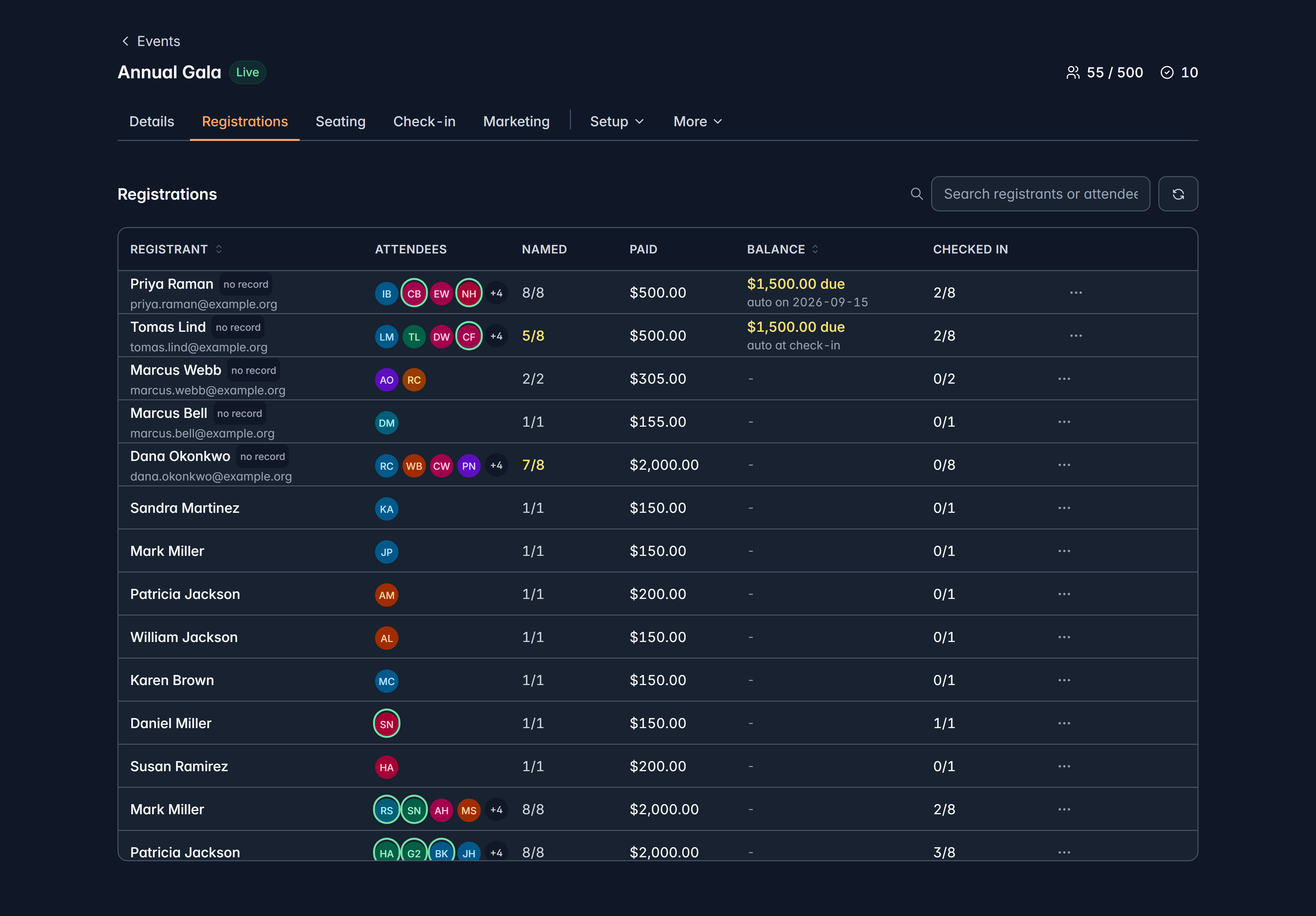
| Column | Why it matters |
|---|---|
| Registrant | Who booked and paid |
| Attendees | Who's coming |
| Named | How many seats have a name yet, out of how many |
| Paid and Balance | What's been paid and what's owed |
| Checked in | How many of their party have arrived |
Named is the column to work down in the final week. Unnamed seats mean badges you can't print and guests you can't greet properly.
Search covers both the person who booked and the people on the booking, so you'll find someone whoever booked under a partner's name.
Chase a balance
Where a deposit was taken, or a balance was left, the row offers Take payment: it charges the remaining amount to the card already on the registration.
You can't key in a new card. If the registrant wants to pay with a different one, send them their balance link and they'll pay it themselves.
If a balance is set to auto-collect, you can Stop auto-collect and choose:
- Switch to manual: the balance stays owed, and they pay it via their link.
- Waive the balance: forgive it entirely, for a comp or a negotiated arrangement.
Refund
Refund from the row menu, when there's a settled charge to refund. If there's nothing settled, no refund action is offered, rather than a button that fails.
Inside one booking
Open a registration to see:
- Total, Paid, Balance due and how many of the party have checked in.
- Payments: every charge and refund, what it paid for and which fund it went to.
- Attendees: each person, their ticket code and email, whether their ticket has been sent, and whether they've checked in.
From here your team can name an unnamed seat, correct a name or email, check someone in, resend a ticket, and take an outstanding balance.
Correcting an attendee's email is also how you hand a ticket to someone else: change the name and email, and the ticket goes to them. Do it before badges are printed.
What you can't do here
- There's no cancel-a-registration action. To undo a booking, refund the payment, and if the seats shouldn't be held, unseat the attendees.
- There's no transfer to another event. Refund and rebook.
Related
Still stuck?
We're here for you, and no question is too small. Tell us what you were trying to do and what happened, and we'll help you get it sorted.